Save Time Hiring
CDL Drivers
- DOT Application Forms
- Applicant Tracking
- Employer Verification
- DQ File Management
Still Recruiting From Your Inbox?
Key Features That Will Change Your Workday
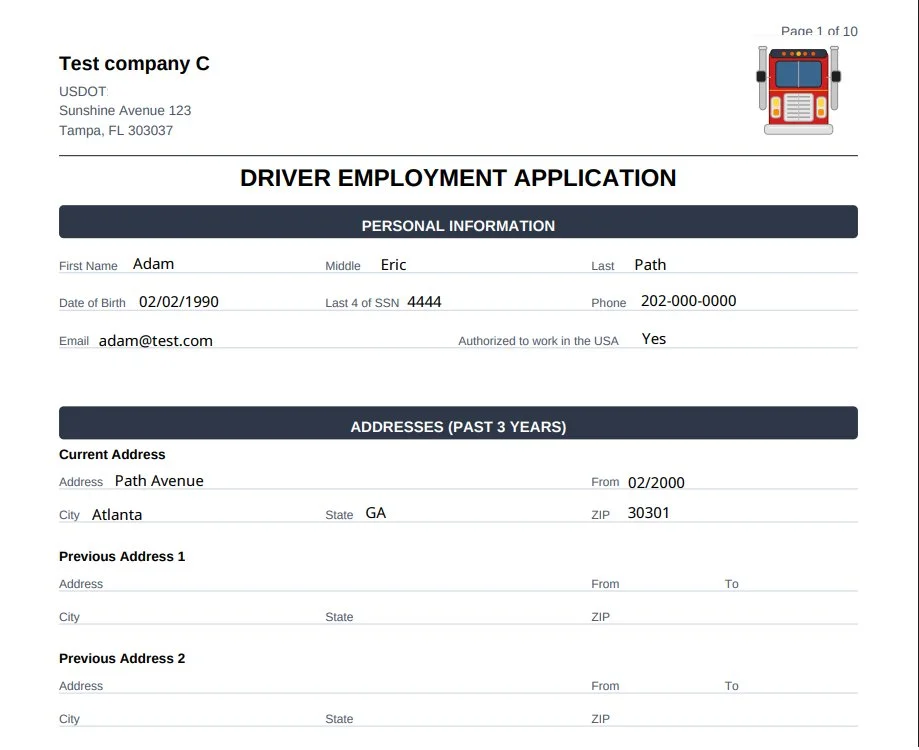
Online Driver Applications
Mobile-Friendly Driver Application Forms
Get your own company DOT-compliant Employment Application and short-form, and start collecting apps digitally.
- Download as PDF
- Autofills Previous Employers
- With E-Signature and Timestamp
Driver Recruiting Pipeline
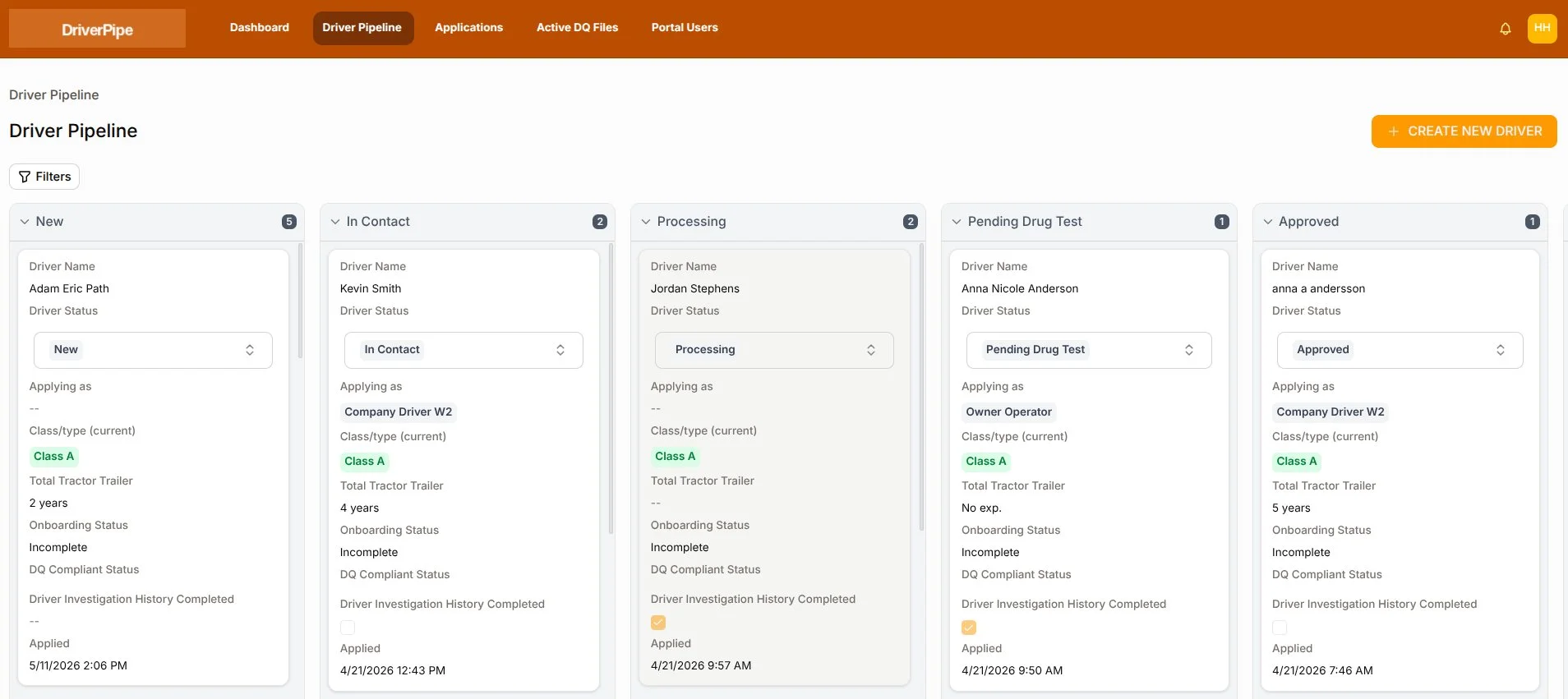
Stay Organized From Application to Hire
See every applicant's status. Drag and drop drivers through your hiring stages.
- Visual Hiring Pipeline
- Drag-and-Drop Hiring Stages
- Driver Profiles & Application History
Automated Previous Employer Verification
Previous Employers Pulled Automatically From the DOT Application
Previous employers pull straight from the driver's DOT application — send verification requests with one click and track responses automatically.
- Previous Employers Auto-Filled
- One-Click Verification Requests
- Responses Logged Automatically

Online DQ File Management
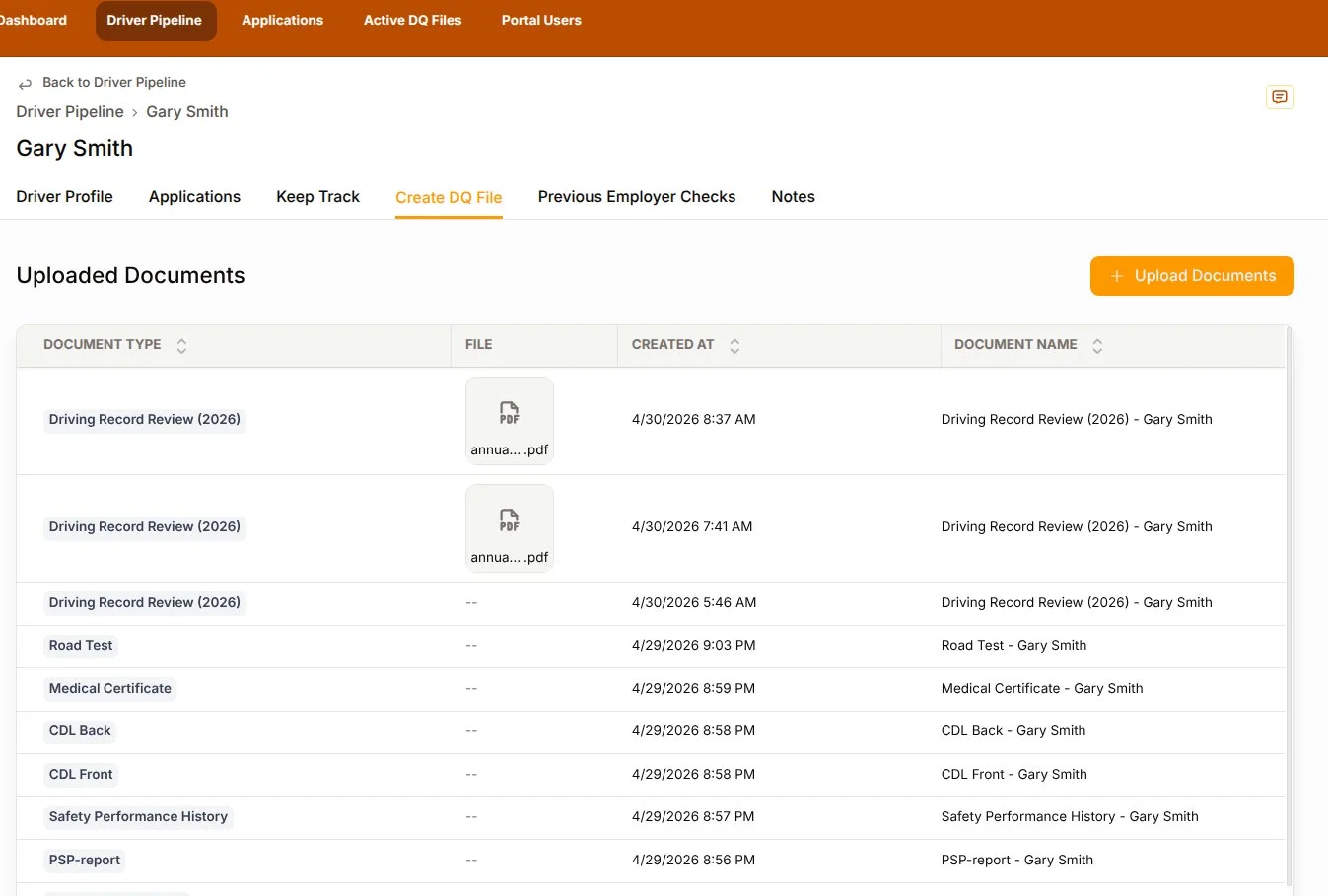
All Driver Documents. One System.
Upload and manage every document in your drivers' DQ files. See what's missing, expiring, and complete — with alerts.
- Secure Document Storage
- Missing & Expiring Document Alerts
- One-Click DQ File Export
Set Your Hiring Requirements
Automatically Identify Qualified Drivers
The system screens every short form applicant. Turn on auto-send, and qualifying drivers automatically receive your full DOT application.
- CDL Class & Driving Experience
- Moving Violations & Accidents
- Endorsements Required
Expiration Date Tracking & Renewal Alerts
Track What's Expiring. Get Alerted on Time.
Enter expiration dates and MVR pull dates — and get alerts when renewals are approaching.
- CDL & Medical Card Expiration Tracking
- Annual MVR Review Reminders
- Clearinghouse Query Due Dates
See It In Action
Watch the Demo
See how Driver Pipe takes a driver from online application to an audit-ready DQ file — recruiting, employer verification, and compliance all in one place.
Ready to Stop Recruiting From Your Inbox?
Start your 14-day free trial — no credit card required.
Small
- 1 User
- Full System Access
- Online Application Forms
- DQ File Management
- Previous Employer Verification
Medium
- 3 Users
- Full System Access
- Online Application Forms
- DQ File Management
- Previous Employer Verification
Large
- Custom users
- Full System Access
- Online Application Forms
- DQ File Management
- Previous Employer Verification
Up and Running in 4 Steps
No complicated software installs. No lengthy onboarding. Get your driver recruiting and DQ file management system up and running fast.
We Set You Up
We set up your account and create your application links.
Start Recruiting
Share your application forms and start receiving applicants.
Create Your DQ Files
Upload driver documents and set expiration dates.
Why Carriers Choose Driver Pipe
Driver Pipe replaces the spreadsheets, email recruiting, and filing cabinets with one simple platform.
Save Time
Eliminate manual document chasing, filing, and spreadsheet tracking.
Hire Drivers Faster
Move applicants from first contact to completed DOT application in one system.
Stay Audit-Ready
Track DQ files, expirations, and required documents in one place.
No Enterprise Pricing
Powerful tools at a price built for smaller carriers, not enterprise budgets.
Previous Employer Verification
Request, track, and store employment verifications without phone calls or spreadsheets.
Secure Driver Data
Driver records are encrypted, organized, and accessible only to authorized users.
Frequently Asked Questions